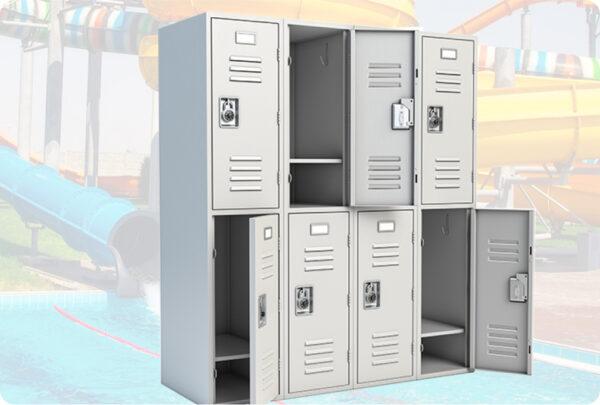

Male & Female Changing Rooms

You will find this to your right and left of the main entrance respectfully. The changing rooms come complete with toilets, showers, baby changing rooms and adult changing rooms along with free lockers subject to availability.
Safety Restrictions
ewewe
wewew
ewewe
wewewe
Please also review the General Safety Guidelines for important health and safety information that applies to all attractions.

Explore Other Park Experiences

Check out these additional attractions along with others that may pique your interest.

See more attractions
Useful things to know
Booking terms & conditions
Before you purchase your tickets, please review our terms of service. This will ensure a seamless experience for you and help us serve you better. Thank you!
Come prepared
Ride guidelines & restrictions
Your safety is our top priority! Before you enjoy the fun and thrills of our water park, please take a moment to review the safety restrictions and guidelines for each ride.
Park guidelines & rules
Terms of Service
Learn about our commitment to protecting your privacy and how we effectively manage your personal information. Explore the measures we take to ensure your data is secure and used responsibly.
Terms of service
FAQ

Frequently Asked Questions

Ticketing And Payment

What age counts as a child or adult for ticket purposes?

 Infants (0–2 years): Free entry; Children (3–11 years); Adults (12+ years).

How do I pay for tickets at Giwa Gardens?

The easiest and most convenient way to pay is online via our ticket page

 You may also pay at the park, but due to large crowds and long queues, we highly recommend purchasing your tickets online.

Do you offer birthday packages or event bookings?

Yes, we do! Celebrate your special day with our exciting birthday packages. Contact our team for details.

Can I pay into a bank account instead of online?

Yes, you can. Kindly contact a member of our team to make arrangements. However, our payment gateway (Paystack) accepts bank transfers and is very reliable.

Can I pay for multiple people at once (e.g., a group or family)?

Absolutely. Just select the total number of tickets you need during checkout. For frequent visits or larger groups, consider our Annual Family Priority Pass.

How do I know if my payment was successful?

Upon successful payment, you’ll see a confirmation screen and receive an email as well as a WhatsApp message with your order number and access instructions.

Which platforms can I use to pay?

Payments are processed securely through Paystack, which supports debit/credit cards, bank transfers, and more. 

How do I assign tickets to myself or someone else?

Log into your account, go to 'My Tickets', then click 'Assign' to designate each ticket.

Can I change the date on my ticket after booking?

All bookings are final. Assign your ticket only when you are sure of your visit date. Unused assigned tickets cannot be rescheduled or refunded.

Can I reassign a ticket to another person?

Once a ticket is assigned, it is non-transferable and non-editable.

Where can I find my ticket or access code after purchase?

Tickets are under 'My Tickets' in your account. A copy is also sent to your registered email and WhatsApp number.

What happens if I don’t assign my ticket before the visit date?

Unassigned tickets remain valid for 12 months. Assigned but unused tickets are forfeited. 

What is your refund policy?

We do not offer refunds. However, unassigned tickets remain valid for 12 months and can be used at a later date. 

Where can I track my orders and ticket history?

 Log in to your account, click on 'My Tickets', and you’ll see all your past and current orders.